Are these Black Friday, Cyber Monday, and holiday deals really worth it, or are they just a sales trick?
Let’s find out how to check for yourself
- 1
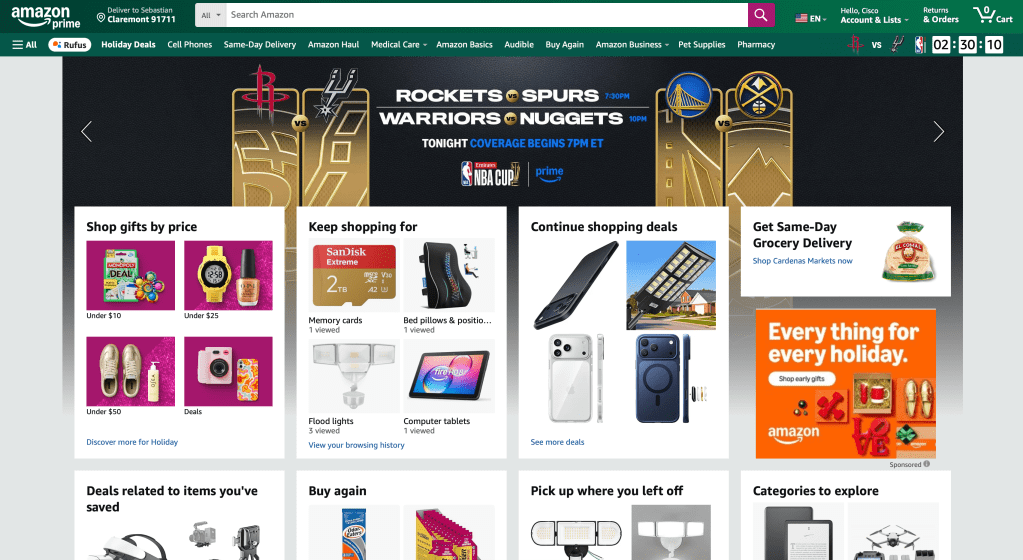
Go to Amazon.com
Start at the Amazon homepage. You’ll see banners for Black Friday, Cyber Monday, and holiday offers. This is where most people start browsing without knowing if the prices are truly discounted.
- 2
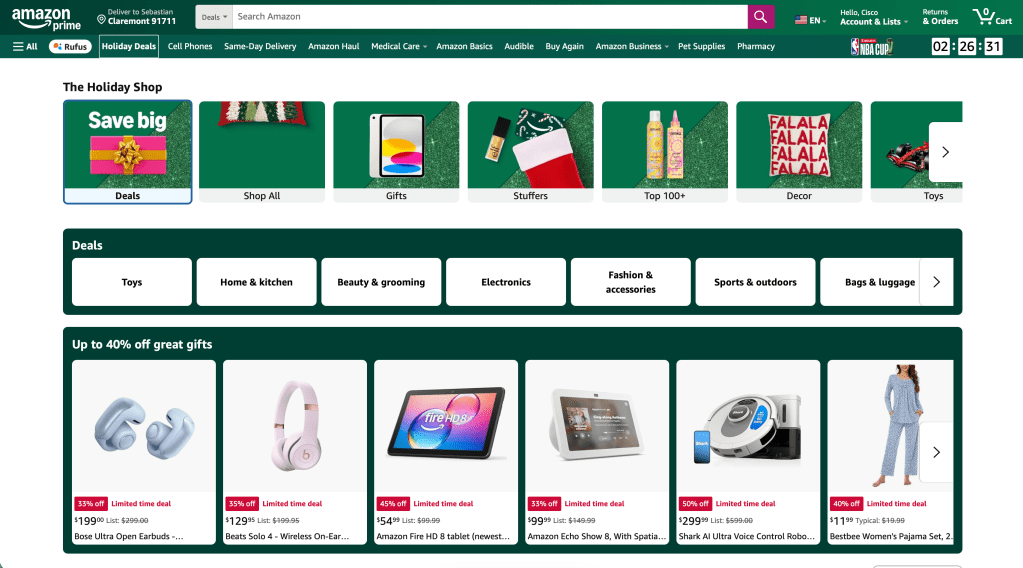
Explore Holiday Deals
Click the Holiday Deals tab. You’ll find featured categories like Electronics, Home & Kitchen, Fashion, and more. This is where you can spot “limited time deals” but not all of them are as good as they seem.
- 3

Find the Product You’re Interested In
Pick an item you’ve had your eye on (in this example, the Bose Ultra Open Earbuds). Take a look at the sale price and the “Limited-time deal” tag.
- 4

Copy the Product Link
Highlight the product link from your browser and copy it. You’ll use this to check the price history.
- 5

Go to camelcamelcamel.com
This free website tracks Amazon’s price history and shows whether a deal is truly a deal.
- 6

Paste the Amazon Link
Paste your copied link into the search bar where it says “Find Amazon Products.”
- 7
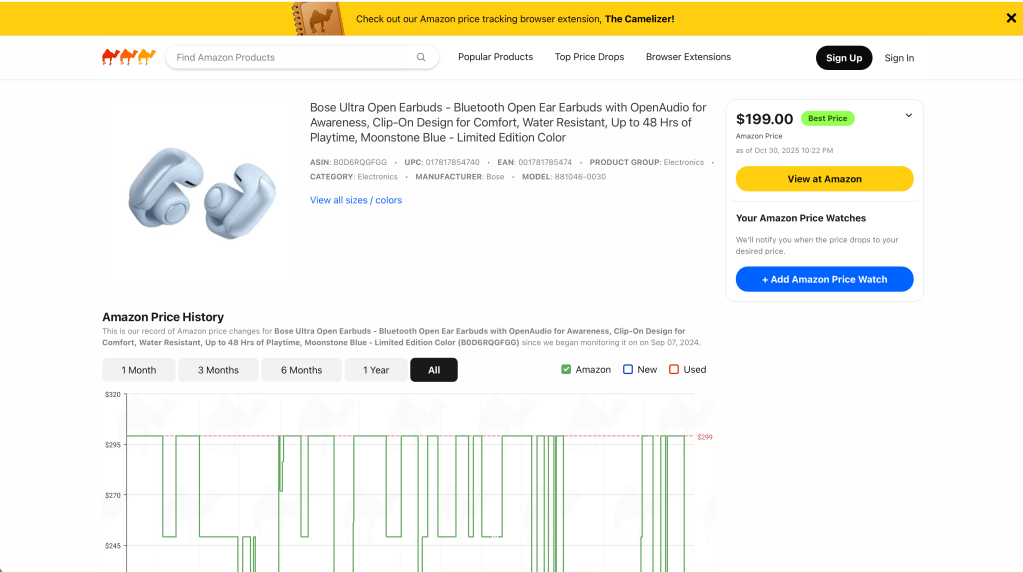
Look for the “Best Price” Indicator
If you see “Best Price” in green, that’s a good sign, it means this is one of the lowest prices recorded.
- 8

Check the Price History Chart
Scroll down and look at the chart to see when the item was last discounted. If the price often drops to this level (or lower), you can wait. But if this is the lowest point all year, it’s a solid buy.
Make Your Decision
For the Bose earbuds example, the price dropped from $299 to $199, the lowest ever recorded. That’s a genuine deal, not a sales trick.
Final Tip
Before you checkout, always compare the product’s average price vs its current sale price on camelcamelcamel.com It’s a small step that can save you hundreds during the holiday season.
Hope this helps you decide which deals are worth jumping on and which ones to skip!
 Sebastian Galicia
Leave a comment